 Bundle
Sole Trader Admin Bundle
6 products in one download.
- Sole Trader GST & BAS Tracker
- Invoice Maker & Tracker
- 12-Month Cash Flow Forecast
- Vehicle Logbook (ATO 12-week)
- Pricing & Quote Calculator
- Small Business Calculator Pack
$59Buy
Excel tools, dashboards and Windows time-savers made for real local businesses. Set up for GST and the July to June financial year. Pay once and download straight away.
Payments are handled by Gumroad. I never see your card details.
Your files and receipt arrive by email as soon as you pay.
GST and overseas taxes are worked out and collected at checkout.
New tools are added regularly. Follow the shop on Gumroad to hear about them.
Several tools together for one price.
Bundle
6 products in one download.
 Bundle
5 products in one download.
 Bundle
5 products in one download.
 Bundle
7 products in one download.
 Bundle
6 products in one download.
 Bundle
4 products in one download.
 Bundle
5 products in one download.
 Bundle
The same dashboard in Excel and in Power BI.
 Bundle
The same dashboard in Excel and in Power BI.
 Bundle
The same dashboard in Excel and in Power BI.
 Bundle
The same dashboard in Excel and in Power BI.
 Bundle
The same dashboard in Excel and in Power BI.
No cost, just your email so Gumroad can send it.
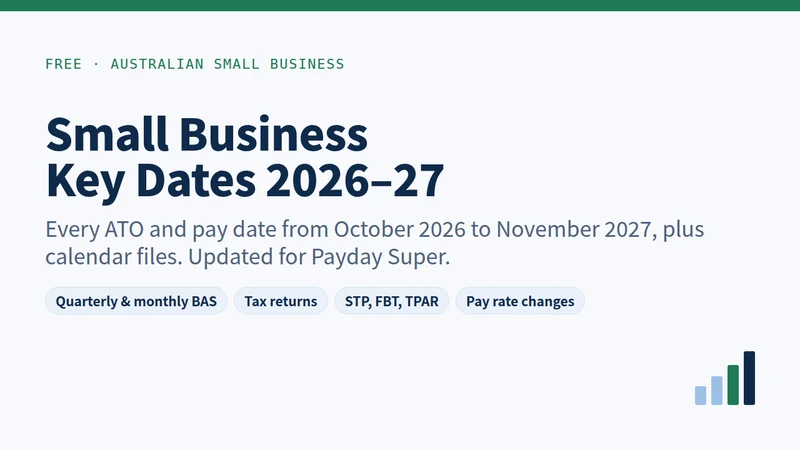
Every ATO and pay date a small business needs from October 2026 to November 2027: quarterly and monthly BAS, tax returns, STP, FBT and TPAR, plus what changed on 1 July 2026 (Payday Super, new pay rates, 91c per km). Comes with calendar files for Outlook, Google and iPhone.
Excel tools for GST, invoices, cash flow and tax time.
 Excel
Record income and expenses once and get your quarterly BAS figures (G1, 1A, 1B) and a yearly profit summary. Built for Australian sole traders.
 Excel
Make professional invoices that meet ATO tax invoice rules, and see who owes you money.
 Excel
See your bank balance month by month for the next year and spot tight months before they arrive.
 Excel
Keep the logbook the ATO asks for under the logbook method, with your business-use percentage worked out for you.
 Excel
Work out the hourly rate you actually need to charge, then build clear quotes with your margin and GST.
 Excel
Five everyday calculators in one Excel file: break-even, loan repayments, markup vs margin, GST, and what a price change does.
 Excel
Set a budget for the financial year, record what really happened, and see each month where you're ahead or behind.
 Excel
Track rent and costs for up to five investment properties and have tidy figures ready for your tax agent.
 Excel
One list for every tool, device and machine: where it is, who has it, when it's due for a service and when the warranty ends.
 Excel
Every subscription, insurance policy, registration and licence in one list: what it costs a year, what's due soon, and what you could cancel.
Excel tools for rosters, leave, jobs, stock and the people you work with.
 Excel
Plan next week's roster and see the wage bill, with weekend and public holiday rates and super, before you publish it.
 Excel
Estimate annual and personal/carer's leave balances for a small team, based on the National Employment Standards.
 Excel
For casual and part-time workers: log your shifts and check every payslip, including weekend, public holiday and overtime rates, and your leave balance.
 Excel
For trades and project businesses: track what every job really cost against the quote, and see which jobs make money.
 Excel
Know what's on the shelf, what it's worth, and what to reorder, without a weekly stocktake.
 Excel
A simple CRM in Excel: every enquiry in one list, who to follow up today, and which lead sources turn into paying work.
 Excel
For small trade and field businesses: daily pre-start checks, a hazard register with a 5×5 risk matrix, and an incident log in one file.
 Excel
For private tutors, music teachers and coaches: students, lessons, who owes you, and a term statement you can email to each family.
 Excel
For community sports clubs: who's registered, who's paid, team lists for coaches, and whose Working with Children Check needs renewing.
Put in your numbers and see what's working. Each one comes with demo data to explore first.
 Excel
For trades and service businesses: your win rate, best lead sources and which jobs earn the most per hour.
 Excel
Enter each day's takings in under a minute. See your best days, average sale, wage cost % and how you're tracking against last year.
 Excel
For small online shops: revenue, order size, repeat customers, refunds, and what you really keep after fees and shipping.
 Excel
Log your hours and see your real hourly rate, how much of your week is billable, and which clients are worth the most.
 Excel
Find out which marketing actually brings in customers: spend, enquiries and new customers by channel, and what each one costs you.
 Excel
For gyms, yoga, pilates and dance studios: active members, churn, class fill and monthly income in one place.
 Excel
For Airbnb, Stayz and Booking.com hosts: occupancy, nightly rates, platform fees and what each property really makes after costs.
 Excel
For hair, beauty, nail and barber businesses: revenue, average spend, rebooking rate, retail sales and how busy each person is.
 Excel
Track every job you apply for, know who to follow up and when, and have your job search report ready for your Workforce Australia provider or Centrelink.
Ready-made Power BI reports that read from one Excel file. Power BI Desktop is free on Windows.
 Power BI + Excel
See sales, profit, customers and unpaid invoices in one place, set up for the Australian financial year.
 Power BI + Excel
Sales against last year, repeat customers, refunds, and what each sales channel keeps after fees and shipping.
 Power BI + Excel
Takings against last year, best trading days, average sale, wage cost % and how customers pay.
 Power BI + Excel
What you billed against last year, your real hourly rate, and where your unbilled hours go.
 Power BI + Excel
Payouts against last year, occupancy, nightly rates, platform fees and what each property makes after costs.
 Power BI + Excel
Revenue against last year, rebooking rate, retail sales, how busy each person is and where new clients come from.
Type a short code and a full message appears, in any program. Every message pack includes the Office Time-Saver.
 AutoHotkey (Windows)
AutoHotkey scripts for AutoHotkey version 1: a simple introduction to small automations and quick-reply emails.
 AutoHotkey (Windows)
AutoHotkey scripts for AutoHotkey version 2: a simple introduction to small automations and quick-reply emails.
 AutoHotkey (Windows)
Type less and click less on Windows: text shortcuts, window layouts, quick-launch and text tools. No coding needed.
 AutoHotkey (Windows)
27 ready-made messages for trades: bookings, on-my-way, quotes, variations, invoices and payment reminders.
 AutoHotkey (Windows)
26 replies for order updates, delays, returns and refunds (with Australian Consumer Law wording), complaints and reviews.
 AutoHotkey (Windows)
26 templates for receipt and tax invoice requests, supplier set-up, bank detail checks, overdue statements and BAS reminders.
 AutoHotkey (Windows)
22 replies for appointment reminders, rescheduling, waitlists, telehealth links, no-show fees and health fund claims.
 AutoHotkey (Windows)
23 replies for rental enquiries, inspections, repairs, rent reminders, lease renewals and bond refunds.
 AutoHotkey (Windows)
20 messages for enquiries, proposals, price questions, follow-ups that don't sound pushy, and referral requests.
 AutoHotkey (Windows)
21 replies for bookings, functions, deposits, dietary questions, public holiday surcharges and reviews.
 AutoHotkey (Windows)
20 messages for honest review requests, replies to good and critical reviews, social posts and offers with clear terms.
 AutoHotkey (Windows)
21 messages from 'application received' to job offer, new-starter paperwork, rosters, leave and resignations.
 AutoHotkey (Windows)
22 replies for tickets, password resets, multi-factor setup, phishing warnings, new starters, leavers and outages.
 AutoHotkey (Windows)
22 messages for job hunting: applications, follow-ups, interviews, referees, job offers and your Workforce Australia provider.
 AutoHotkey (Windows)
Save where all your windows are and put them back with one key. Great after a restart or when you plug in a second monitor.
If a product doesn't work as described, email me at rowan.grob@gmail.com and I'll help you get it working or give you a refund. This doesn't limit your rights under the Australian Consumer Law.
Need something built for your own business instead? See my services.